YOUR LAB. AT A GLANCE. Open source · Local monitoring · No subscription
YOUR DEVICES. ONE SMALL DISPLAY.
Your lab. At a glance.
The useful readings from your servers, router and printer, together. One local collector. A small touchscreen. Less checking pages, more getting on with your day.
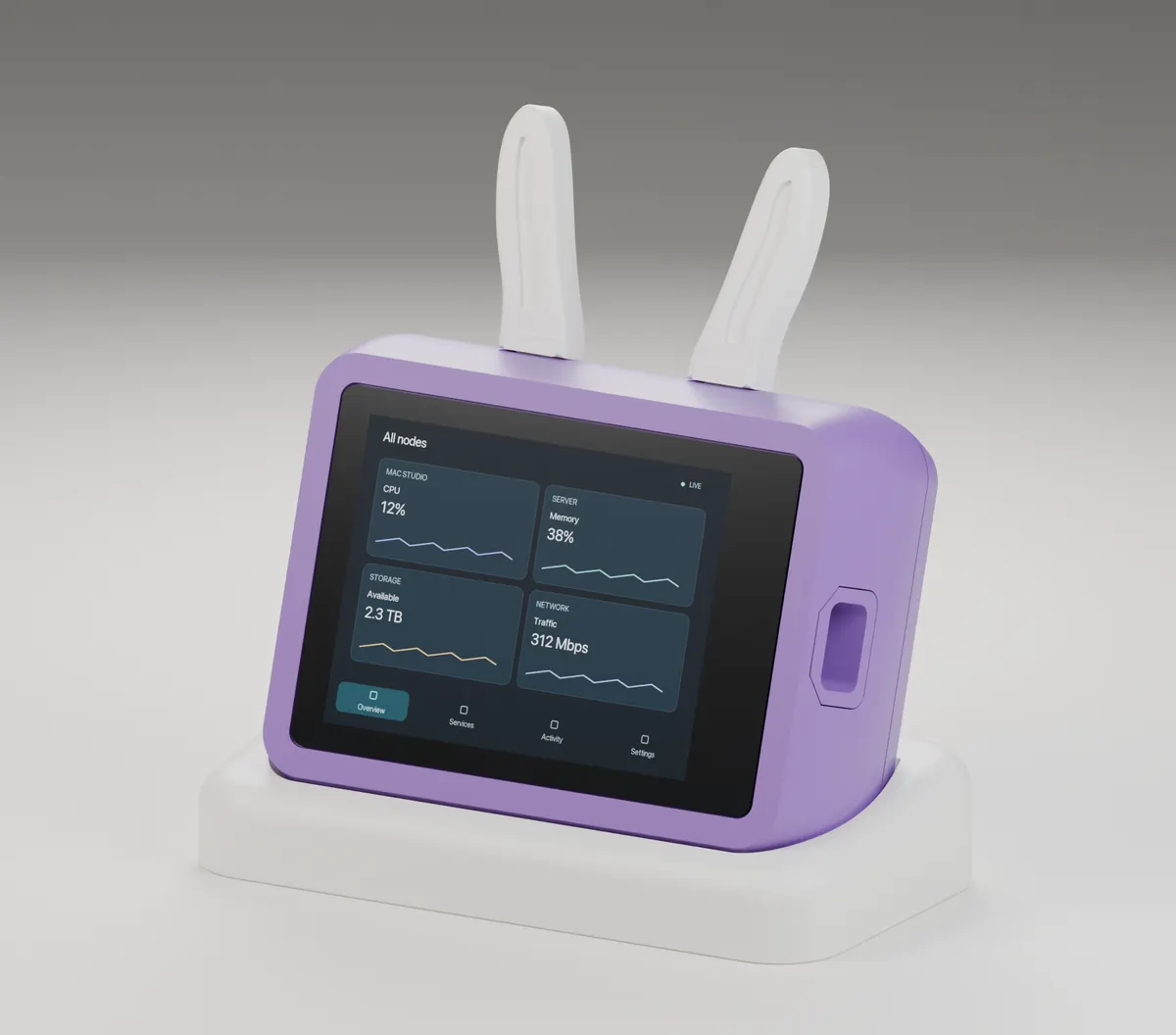
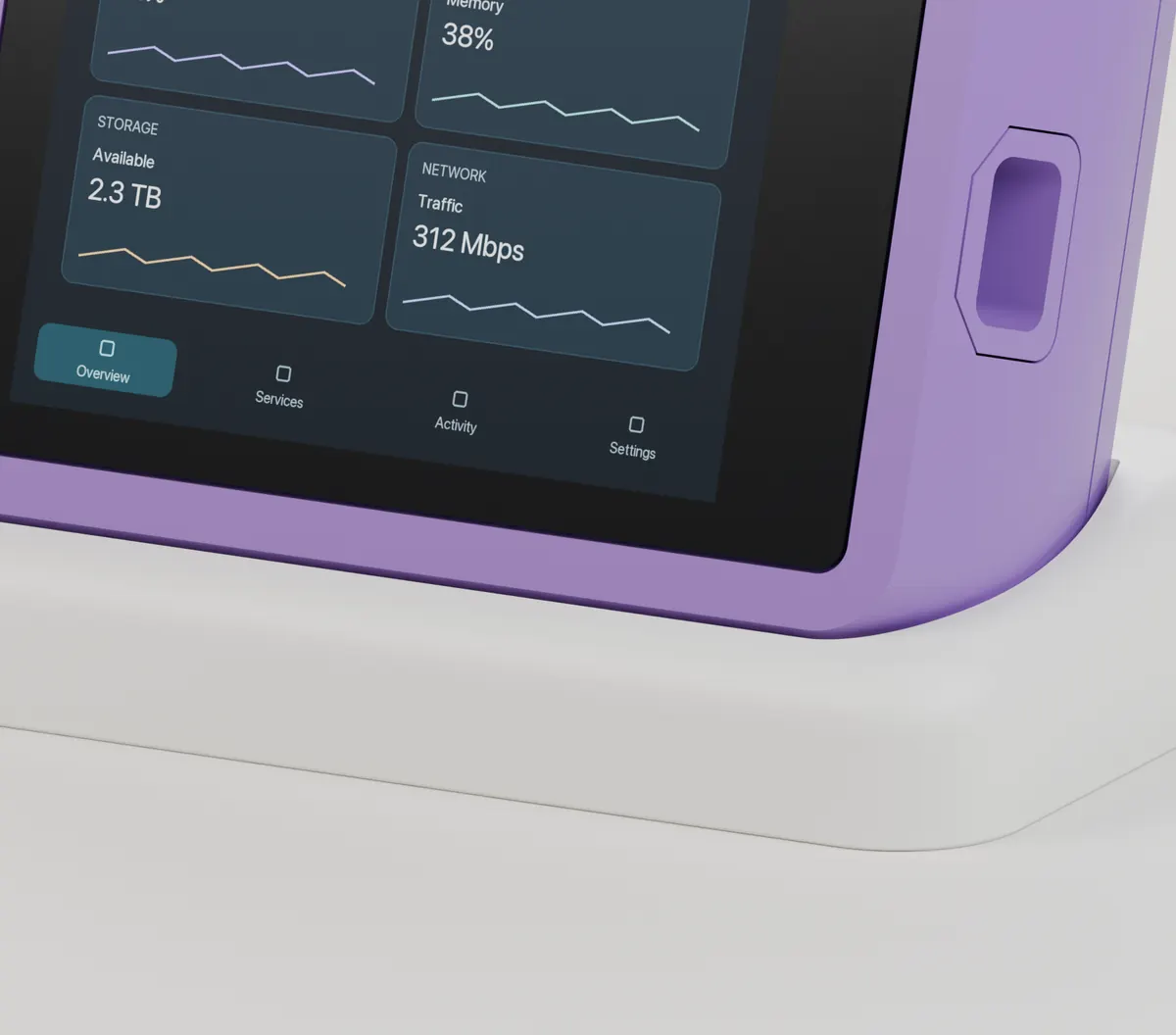
Actual r45 CAD · Synthetic screen · Prototype under validation
2.8″Touch display
4 cardsGrouped nodes underneath
One collectorBrowser management included
Your LANYour monitoring data
ONE PLACE FOR THE READINGS THAT MATTER
Different devices. A shared view.
01 / DEVICES
See what each device exposes.
CPU, memory, storage, network interfaces and available sensors from macOS, Windows and Linux. Paired Rust agents send readings to the collector. SNMP or JSON API adapters bring routers and other equipment into the same view.
02 / INTEGRATIONS
Keep the useful detail.
Proxmox adds guests, pools, disk health and available GPU readings. Klipper adds print progress, time estimates and heaters through Moonraker. Choose the integrations your setup needs.
03 / YOUR DESK
Glance across all nodes.
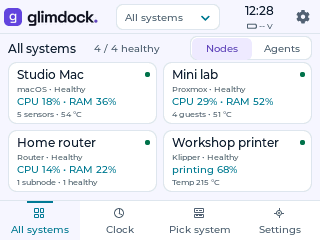
The All systems view shows four summary cards at once. Tap into a node for detail, then return to the whole lab. Choose light or dark, and set a comfortable brightness.
Readings depend on the hardware, operating system and permissions. Missing values stay unavailable; old readings are marked stale.
THE COLLECTOR IS THE CENTRE
Your browser and display. The same local server.
Run one Rust collector on Linux or macOS. Its web interface and telemetry API run together. The host can be a node too; Proxmox is an optional integration.
01 / SOURCES
Your devices & services
Native Rust agents → push SNMP and JSON adapters → push Optional Proxmox and Moonraker
→02 / CENTRAL COLLECTOR
One registry. One web interface.
Pair agents, rename or pause nodes, and revoke access. Keep stable node IDs as names and settings change.
→03 / VIEWS
Browser + Glimdock
Live node overview The actual firmware emulator A Wi-Fi display on your desk
Manage nodes in the browser.
Pair a device with a one-time key. Its agent registers an identity and sends readings without a device URL or incoming port. Keep polling for printers and existing feeds. Four active top-level nodes, up to eight active nodes including children, and sixteen configured remote nodes.
Try the actual display UI.
The collector includes the production firmware renderer in WebAssembly. Explore your live nodes through the same 320 × 240 interface and touch targets as Glimdock.
Update over USB.
Connect a supported display to your computer and use Chrome or Edge to install firmware directly from this website or the collector interface. The updater checks image hashes and preserves saved pairing.
USB updates require Chrome or Edge on HTTPS or localhost, the supported Waveshare V1 board and a data-capable cable. Pairing is explicit; the collector does not scan your LAN automatically. Missing or expired readings remain unavailable.
Try the production display interface below. Four top-level examples show a Mac, Proxmox lab, router and printer. Open Guests for Windows/Linux memory, GPUs for hardware detail, or Subnodes for a managed switch.
STARTING FIRMWARE4 example nodes · All readings simulated
Production firmware in WebAssembly · 320 × 240 pixels
Tap a bento card to open a node. Drag to scroll a list. Use the Agents / Nodes button to switch workspaces. Use the menu to choose a node or system, or the gear for display settings.
Keep four top-level cards. Group a switch beneath its router and open a Guests-style Subnodes list only when children exist.
Readable at your desk.
White and dark themes, improved spacing and swipe-safe lists. A clock view keeps the display useful between checks.
A brief heads-up.
Short banners and optional chimes for real new alerts and observed print completion. Set the volume or mute it in Settings.
Honest measurements.
Separate guest OS memory from assigned RAM. Inspect available GPU and disk readings; missing and expired values stay unavailable.
Availability depends on your source or release version. Frozen packages retain their published feature set. See availability and what’s new.
NEW / FLIPPER ZERO COMPANION
Your lab. Another small screen.
Pair a nearby Flipper Zero with Glimdock over Bluetooth LE. Browse System, Alerts, Agents and Printer pages with its physical buttons.
01 / PAIR ONCE
A direct local connection.
Open the native Glimdock app on Flipper, then enter its PIN on your Glimdock display. Status sharing is optional and starts switched off.
02 / KEEP BROWSING
Change nodes instantly.
The app keeps summaries for up to eight active nodes in RAM. Previously received pages stay available while disconnected, with their age still visible.
03 / STAY INFORMED
Four compact pages.
Check a node, its alerts, public agent operations or printer progress. Fresh, cached, stale and unavailable readings stay clearly labelled.
Available in current source. Install firmware v0.5.7 from the website and build the matching Flipper app from the same release. Flipper Zero is separate hardware.
Run the Rust server on Linux or macOS. Open its web interface on localhost; pair collector keys when accessing it remotely.
2
Pair your devices
Create a one-time key in Nodes and run the Rust agent on your computer or adapter. It sends readings and receives its node identity automatically. Add Moonraker as a polling feed.
3
Pair the display
Power Glimdock over USB-C, connect to 2.4 GHz Wi-Fi, and save the collector address and display key. Its node list comes from the collector.
OPEN SOURCE. ALL THE WAY IN.
An assembled display. Or your own build.
Firmware, Rust collection, native device agents, the browser interface and editable case CAD. Add the portable agents API and make the view your own.
Editable r45 prototype CAD · Assembly and fit notes included
PORTABLE R45 / OPEN HARDWARE
At home on your desk. Easy to make your own.
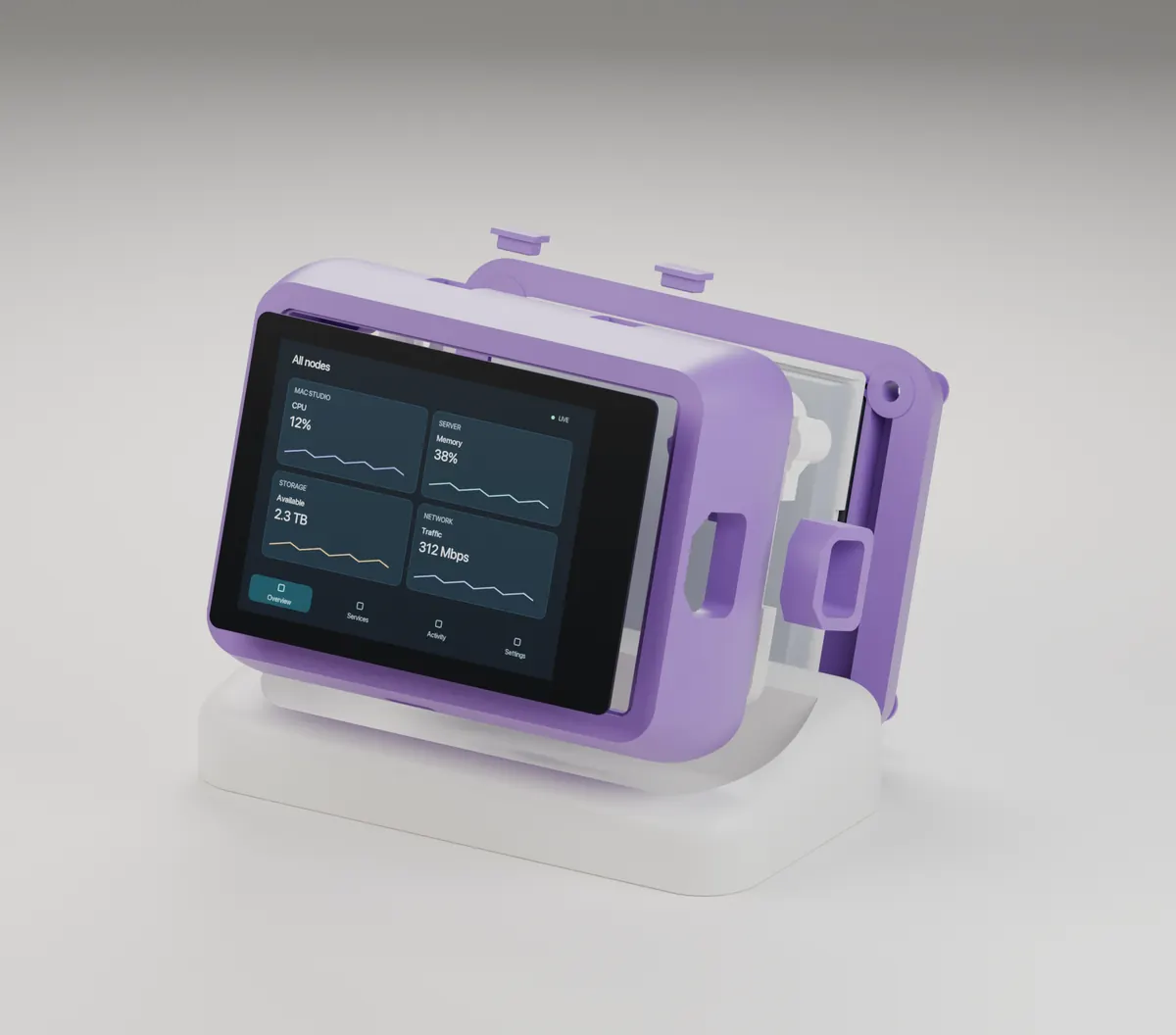
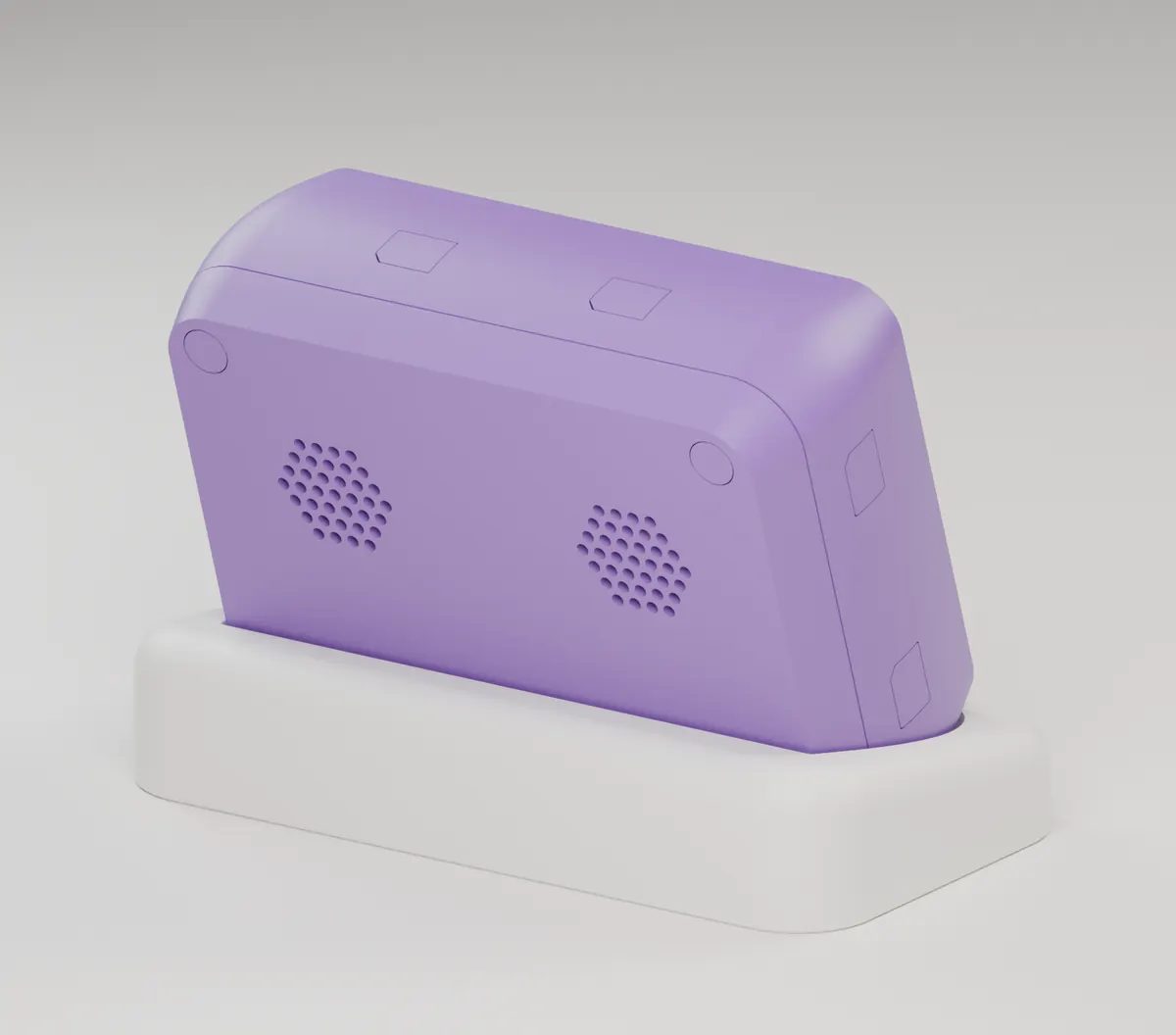
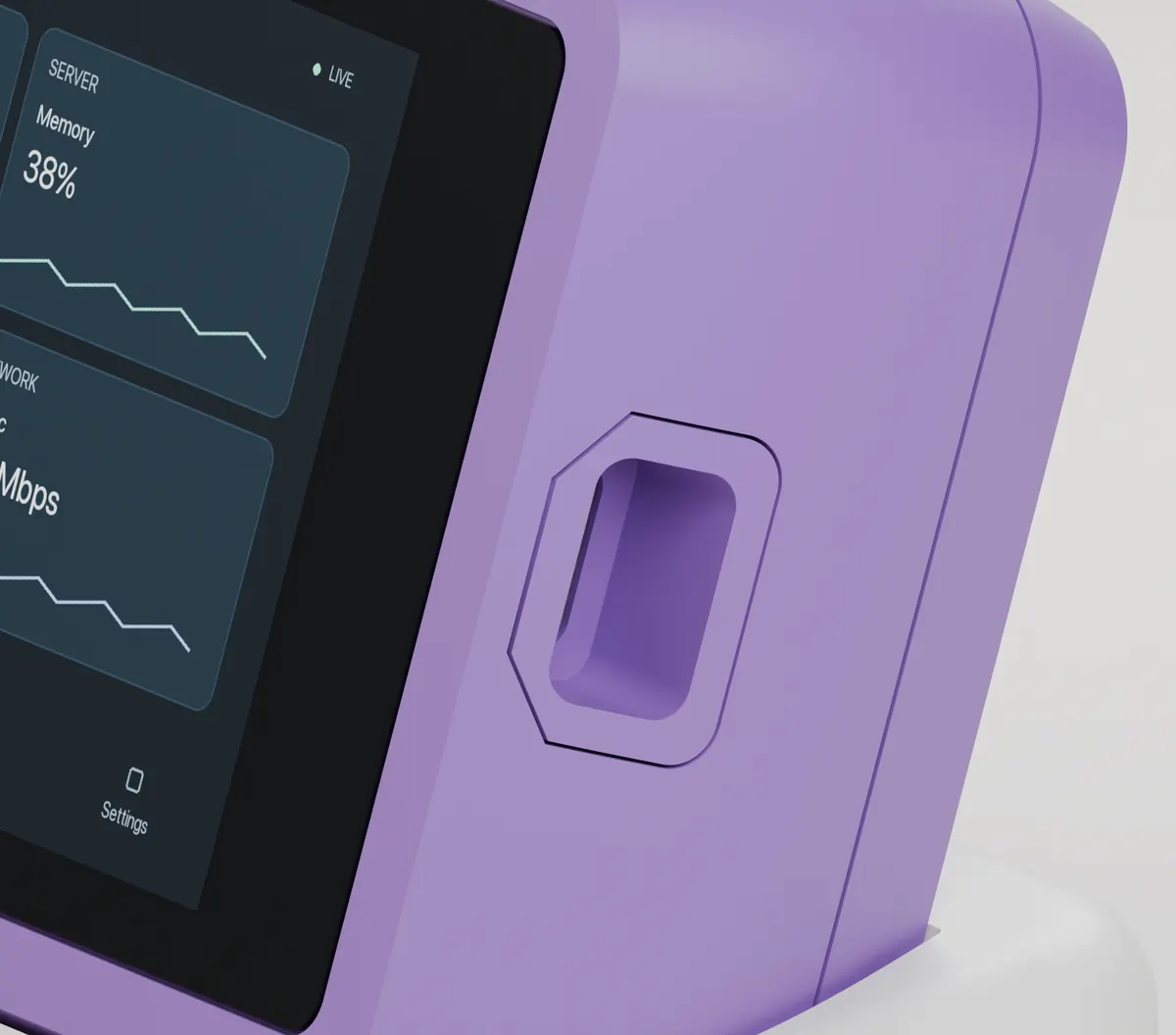
A sculpted purple pod lifts out of its white stand. The display, battery space and twin speakers stay in the body; separate landscape and portrait stands simply hold it at an angle. Add bunny ears, TV antennas or eyes, or keep the accessory sockets capped.
Sculpted sides. A removable pod.A simple, passive desk stand.Native USB-C, with an internal tunnel.
Rendered from the released r45 CAD with synthetic screen content. This remains a prototype: complete printed fit, spring life and battery electrical setup need checking. The portrait stand is a mechanical option; portrait firmware is not validated.
THE HARDWARE IS TAKING SHAPE
A little window into your lab.
Interested in an assembled Glimdock with your own body and stand colour preferences? Join the availability list and decide when there’s a confirmed offer.
USB power, 2.4 GHz Wi-Fi, and one central Rust collector on Linux or macOS. Native device agents support Windows, macOS and Linux; SNMP or JSON API agents cover other devices. Klipper needs Moonraker reachable from the collector. Pair native agents in the collector’s Nodes view, then connect the display to the collector. Devices need outbound access to the collector, with no incoming agent port.
Do I need Proxmox?
No. A Mac, a regular Linux machine or another supported node can be your first device. Proxmox is one node type with additional guest, storage and hardware telemetry. The collector host can be included as a generic server or omitted from the display.
Which readings can I see?
Computers expose CPU, memory, uptime, storage, network and platform-specific values where available. Routers depend on their SNMP tables or APIs. Proxmox adds guests, pools, disk health and GPUs where configured; real guest memory can require guest-agent probes. Klipper shows print progress and heater temperatures. Unsupported readings remain unavailable and stale readings are labelled.
Can I update Glimdock from the browser?
Yes. The collector’s Display & firmware view includes a USB updater for Chrome or Edge on HTTPS or localhost. It targets the Waveshare ESP32-S3-Touch-LCD-2.8 V1, verifies the image set and retains saved pairing. Use a USB data cable. V2 support and the complete printed case assembly are not yet validated.
Is there a subscription or cloud account?
No. The monitoring software is open source, and your readings stay on your local network. You don’t need a Glimdock cloud account. Checkout and this website are separate from your local monitoring.
Can I use a Flipper Zero as a companion screen?
Yes, with matching current Glimdock firmware and the native Flipper app built from the same source revision. The optional paired Bluetooth connection carries System, Alerts, Agents and Printer pages. It needs a nearby Glimdock display; the Flipper is separate hardware. The website installer includes this integration in firmware v0.5.7; build the matching Flipper app separately. Read the setup and availability notes.
Can it control my server or printer?
Glimdock monitors your setup. It does not start or stop VMs or start, pause or cancel prints. Node management changes what the collector monitors.
Can I print the case and stands myself?
Yes. The current r45 release includes 23 printable parts, editable STEP/BREP CAD, assembly notes and eight portable OrcaSlicer layouts. Choose your own printer and filament, then slice and review the result. The body has internal battery and speaker space; battery compatibility and charging still need verification. Explore the current enclosure.
Can I order an assembled Glimdock now?
Paid checkout is closed. You can register unpaid interest and confirm your email to hear about availability. This creates no payment, order or reservation. The planned monitor price of approximately €99 plus shipping is an estimate; any future offer will state its price and delivery terms before you decide.